


Examples of bad documentation (and how to fix each one)
If you're wondering what makes documentation bad, here are 12 common examples we've seen and how to fix each one.

Bad documentation hides in plain sight because it looks finished at first glance. The pages are there, the headings line up, and the code blocks are formatted. Then a developer tries to follow it, gets stuck on a particular step, and closes the tab, being frustrated. That moment happens long before anyone files a support ticket, which is why so much bad documentation goes unmeasured.
We have spent years inside other teams' documentation, and the same failures repeat across them. A thread on Reddit asking developers for the worst docs they had used pulled the patterns we keep seeing in client work. Reference pages that explain nothing, setup guides that describe a product two versions out of date, and docs you cannot find at all.
Those complaints sort into a small number of recurring types.This piece covers 12 of them, grouped into 4 categories. Every example comes with one fix you can apply this week.
One category is newer than the rest and worth taking first. A growing share of documentation is now written by AI, and AI fails in ways that older bad docs never did.
AI-written documentation
The older categories of bad docs stem from neglect, where something went stale, or from someone who's not an expert writing the guide. AI-written docs introduce a different problem, because the text reads as confident and correct while describing things that were never real. The model produces a fabricated parameter with the same fluency as it produces a true one, and a reader has no surface signal to tell them apart.
This matters more now that developers lean on these tools and trust them less. In the 2025 Stack Overflow Developer Survey of over 49,000 developers, 84% said they use or plan to use AI tools, while only 29% trust the accuracy of the output. The single most common frustration, cited by 66%, was AI answers that are almost right but not quite. Documentation carries that same risk the moment someone generates it rather than testing it.
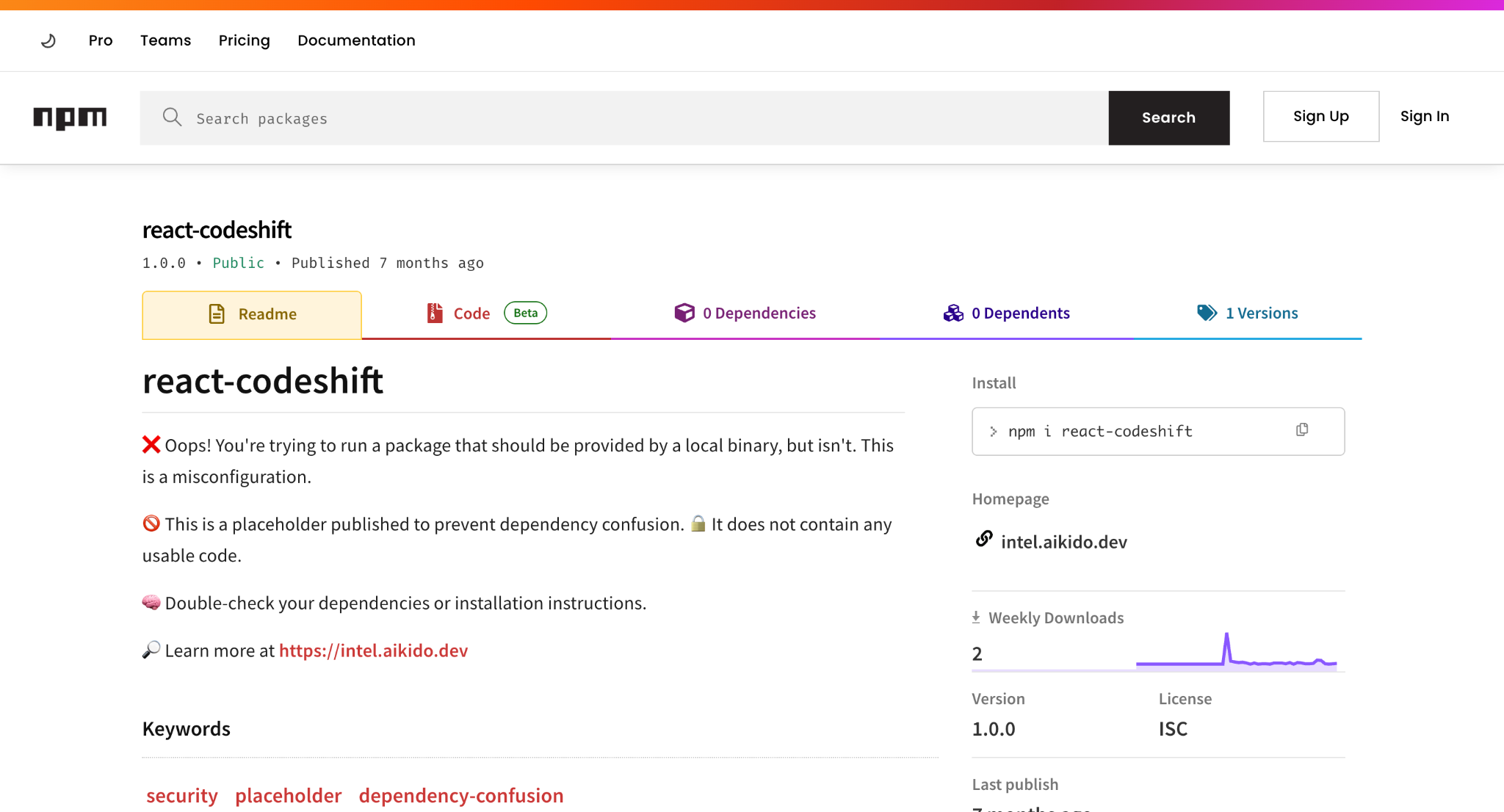
Fabricated package names: The most evident case was reported to npm in January 2026, when a security researcher at Aikido noticed AI tools recommending a package called react-codeshift, a name a model had invented by merging two real tools, jscodeshift and react-codemod. The name first appeared in a batch of 47 AI-generated agent skill files that no human had reviewed, then spread to 237 repositories via forks as automated agents kept trying to install it.
The fix is to verify every package name and install command against the official registry before it goes into any doc.
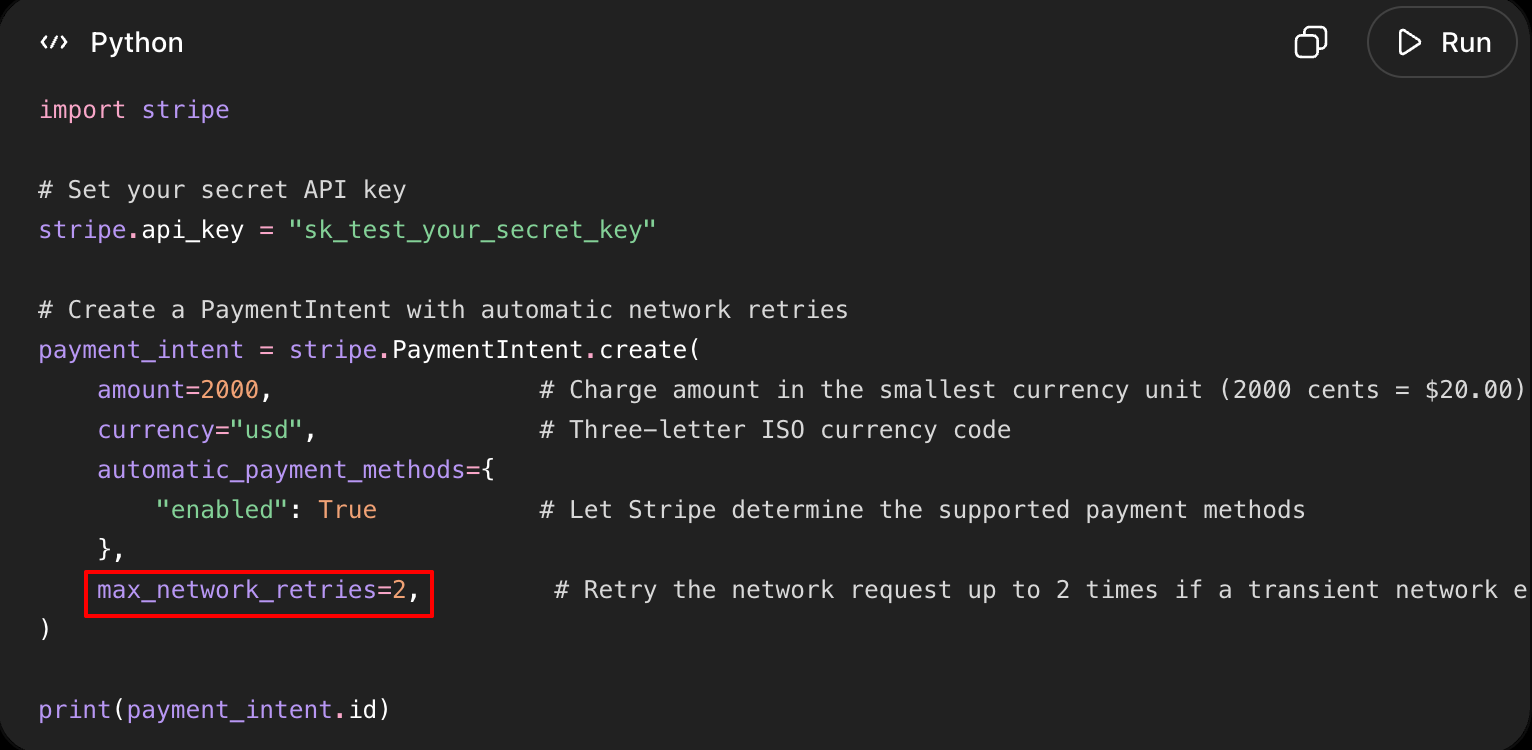
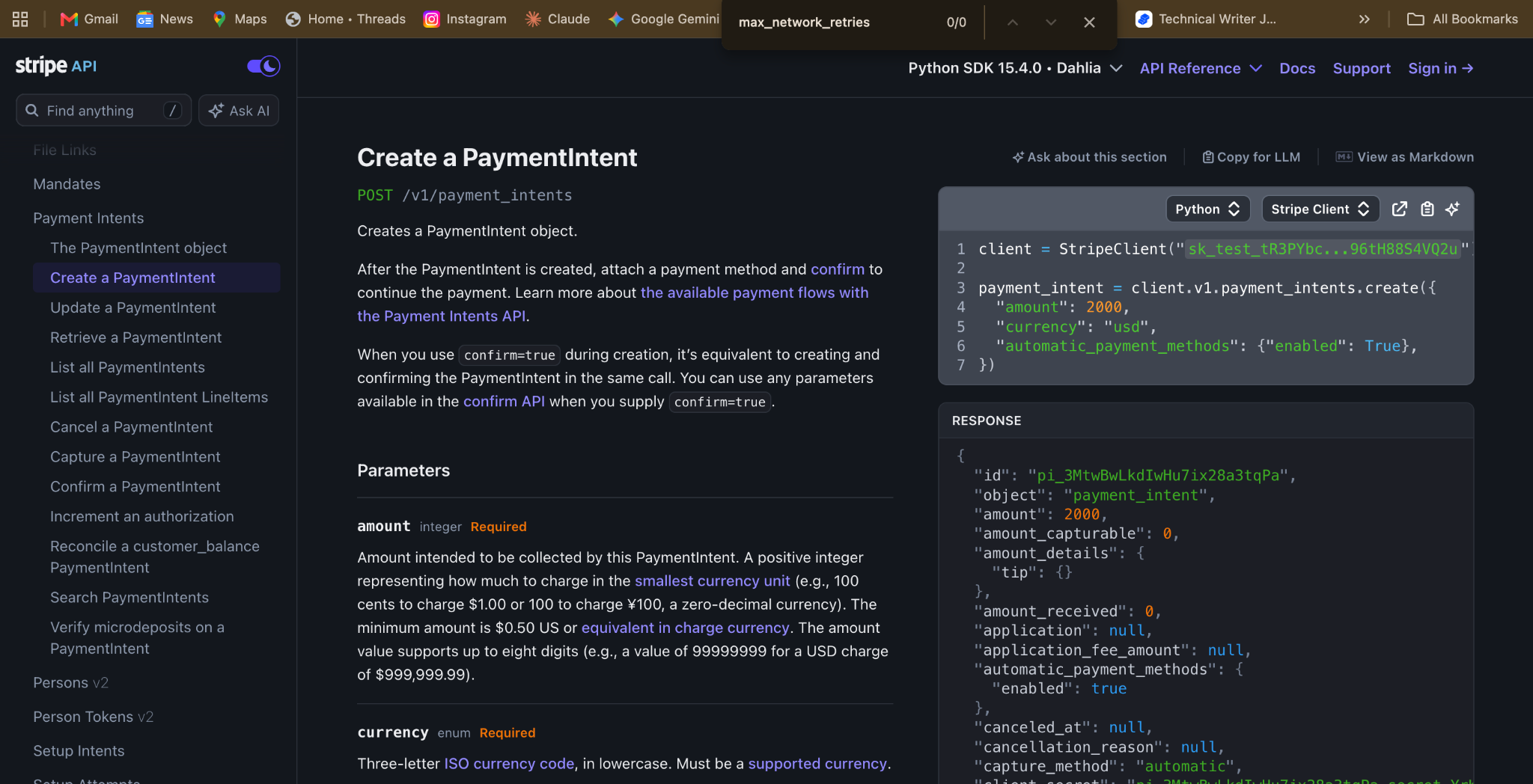
Invented parameters: AI-generated docs add parameters that sound plausible and do not exist. In one documented case, a model writing API docs added a force_refresh query parameter that was nowhere in the spec, with a logical name and a believable use case, so a developer following it spends an hour debugging calls that fail with no clear error.
The failure stays invisible in review because the invented parameter reads exactly like a working one. The fix is to copy every parameter from a tested call into a code sample and never type one from memory.
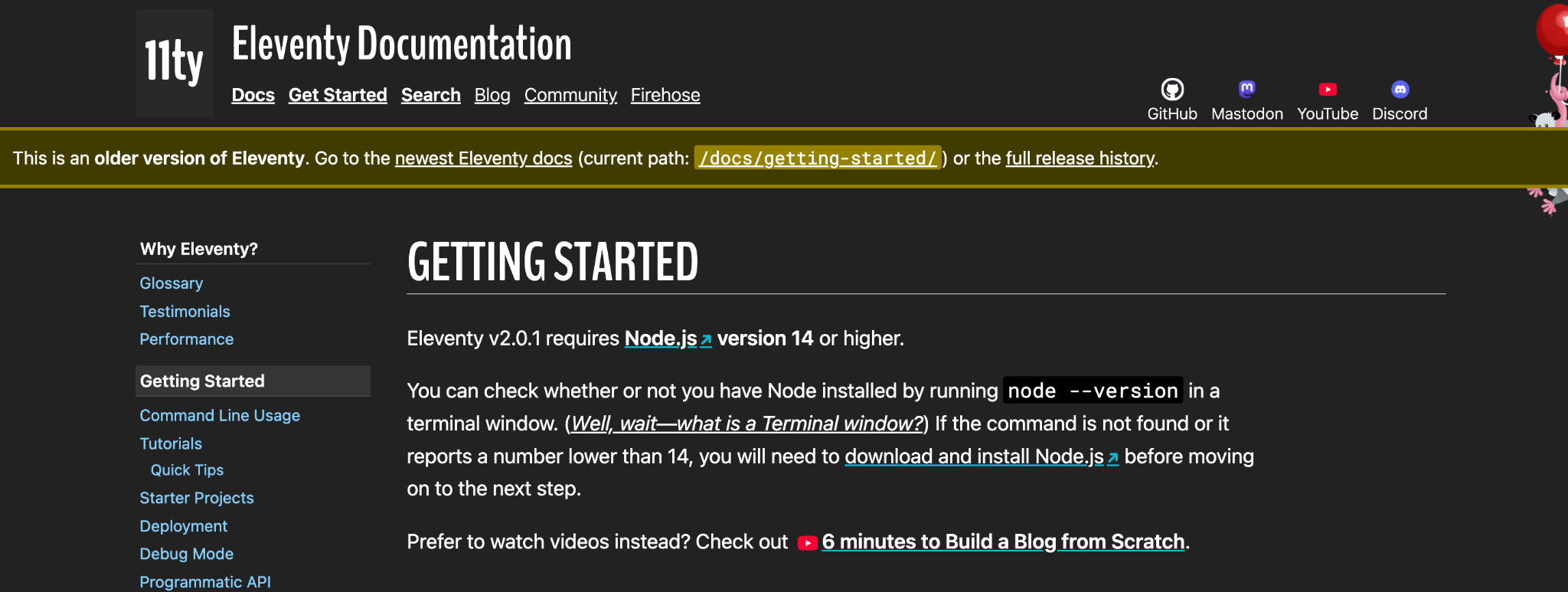
Stale version references: Tools rename things between releases, and AI trained on older code keeps using the old names without warning. Eleventy is a live example of how this strands readers. Its version 1 and version 2 docs still sit at their own indexed URLs, stamped v1.0.2 and v2.0.1, each carrying an "older version" banner, so a search or an AI answer can send someone to setup steps for a release they are not running.
The fix is to pin every example to a tested version number and re-verify it after each major release.
Those three failures share one root. AI writes from patterns, not from a working call, so the fix is always the same discipline of tracing each claim back to something you ran. That discipline is what the next category assumes, and the AI category skips it.
Documentation that is correct but unusable
A doc can pass every accuracy check and still fail the developer reading it. The commands run, the parameters exist, and the responses match. The doc lacks a path through the material, a sense of where to start, and an explanation of why any of it matters. This is the failure that hides best, because a spot check of any single page turns up nothing wrong.
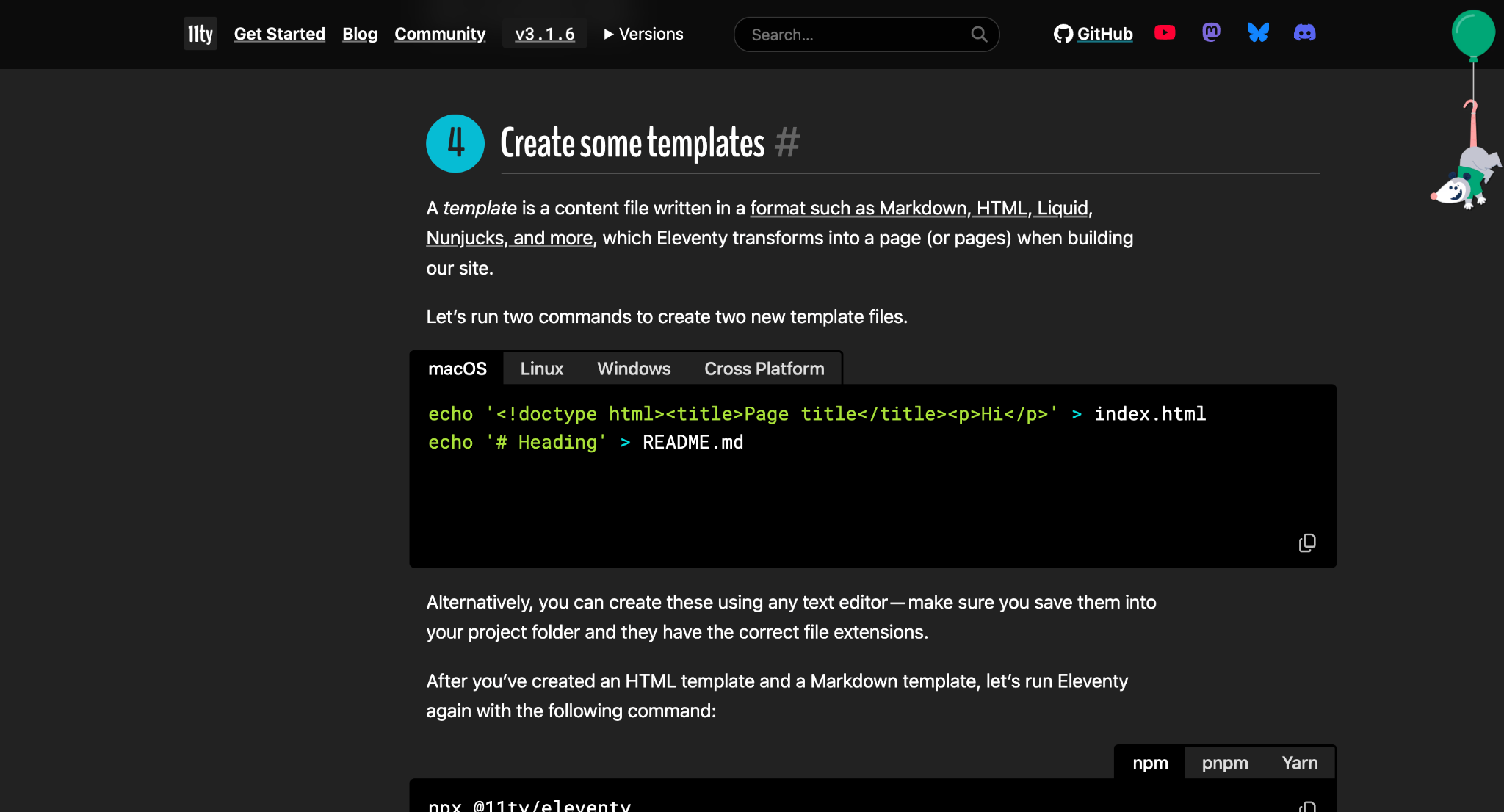
Reference mixed with guide content: Reference tells you what every option does, and a guide walks you through doing one thing. When the two sit on the same page, a reader cannot tell the map from the route. Developers have flagged Eleventy's docs for exactly this, and the pattern shows on its getting-started page, where the explanation of what a template is runs straight into dense command output and version notes.
A developer new to the tool described being sold by the overview page, then thrown into a sea of terminal commands, because the docs answered what to run before explaining how the system worked. The fix is to separate reference material from task-based guides into distinct sections, each with its own URL.
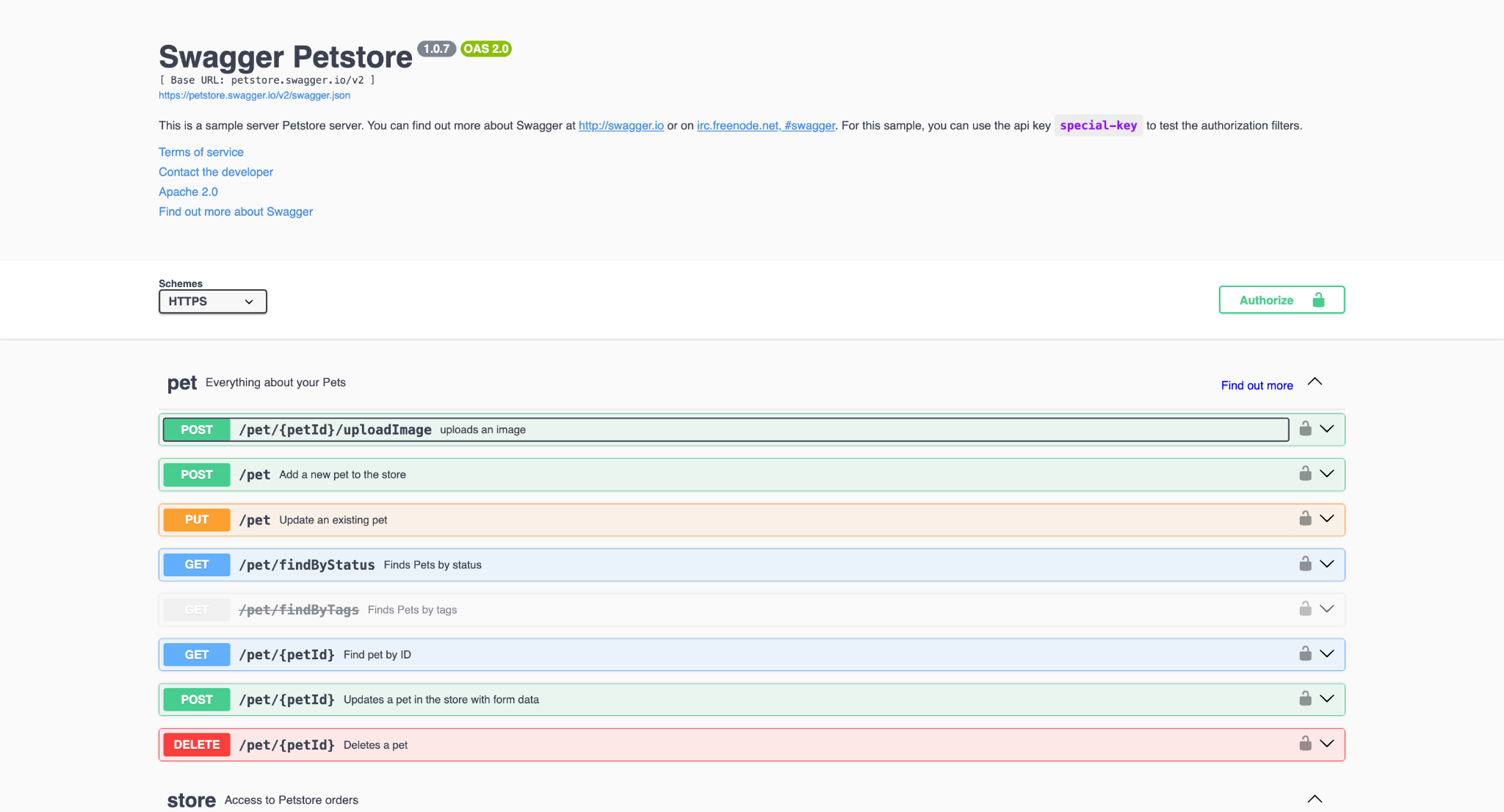
Reference-only, with no narrative: Some docs give you every endpoint and every field and nothing else. The clearest tell is a page that mirrors the default Swagger Petstore, a demo spec that lists operations like findPets and addPet with no reason to reach for any of them.
Such a page is accurate and complete, and it tells a developer nothing about which call to make first or why. The fix is to pair every reference page with one worked example that shows those parameters in a working sequence.
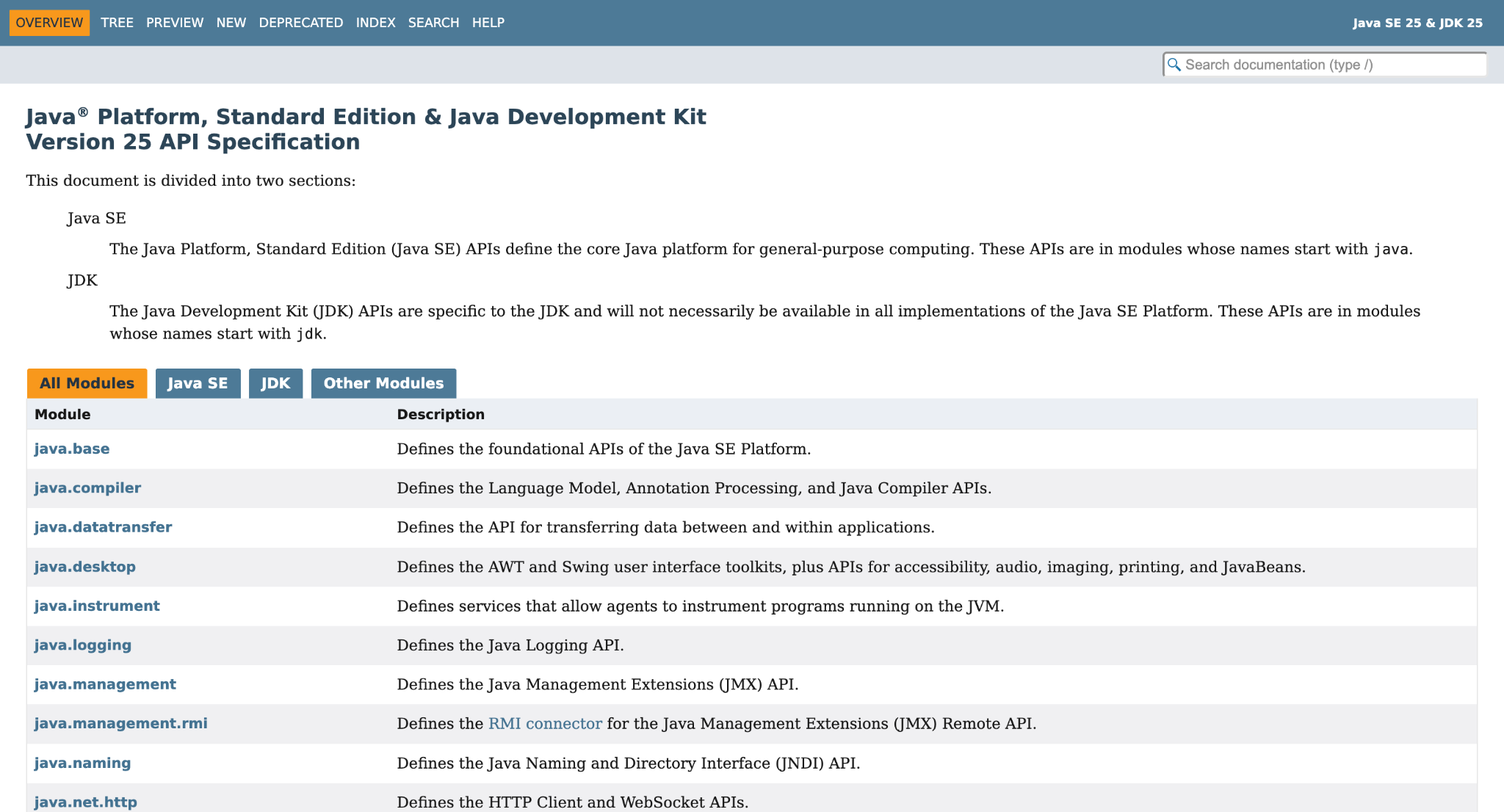
No beginner path: Close to reference-only, this doc presents everything at a single depth. It offers no short track to a new user's first success, only the full surface area of the product laid out flat. A developer who wants to make one call has to read the whole thing to find the part they need. The fix is to build a short getting-started path that leads to a working result and then links out to the full reference.
Usability problems come from docs that were written once and never walked through by a stranger. The next category comes from the opposite failure: docs that were fine when written drifted out of sync with the product.
Broken and outdated documentation
Incorrect documentation is often worse than none. A missing page sends a developer elsewhere at once, while a wrong page sends them down a path that wastes an afternoon before they realize the doc, not their code, was the problem. Nothing breaks at the moment the product changes, so these gaps sit unnoticed. A developer finds them by walking into one.
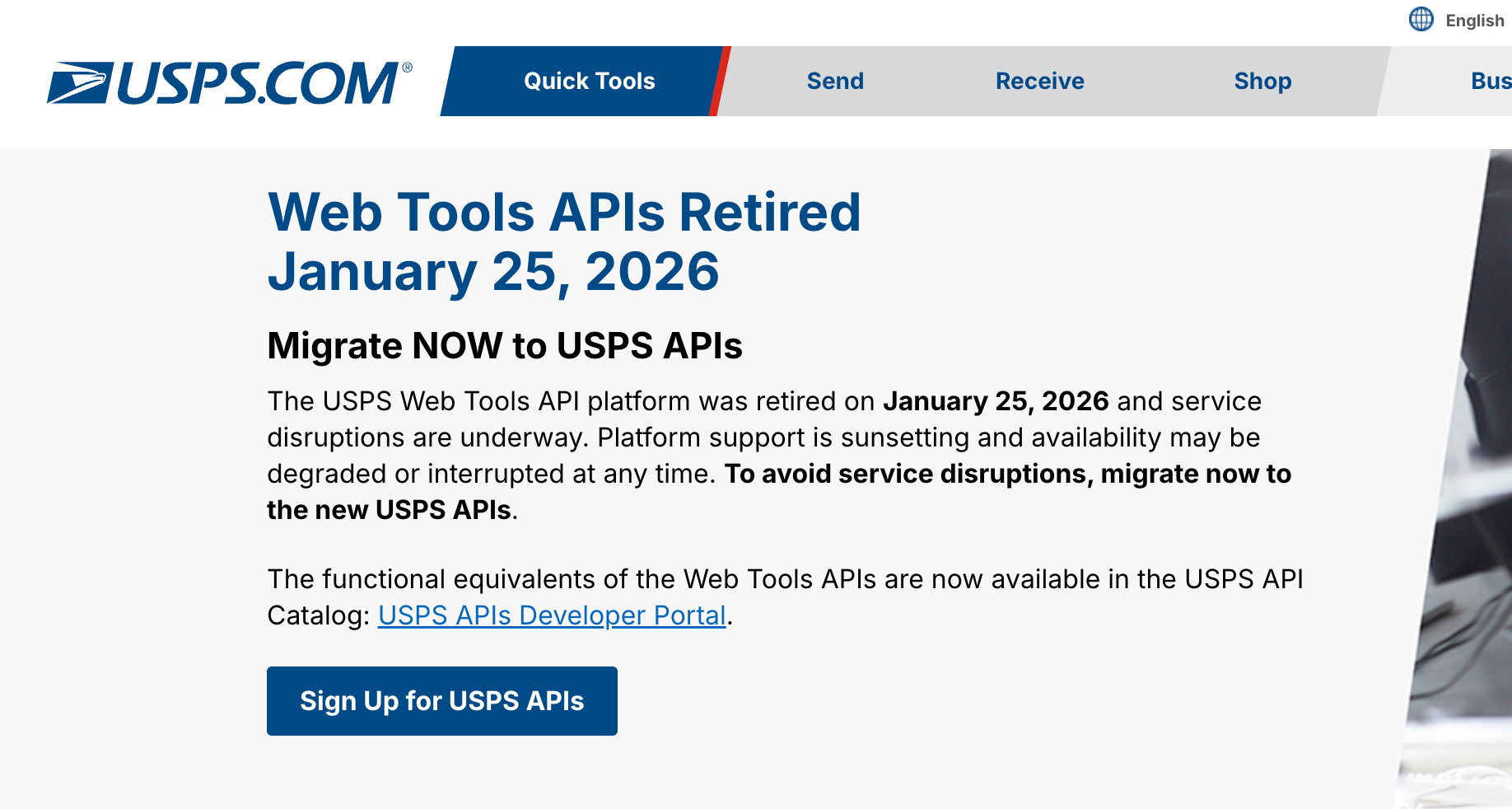
Docs describing a version that no longer exists: The USPS Web Tools API is a full example of this. The platform was retired on January 25, 2026, and its documentation pages now display retirement banners pointing developers to a separate replacement portal, so anyone who lands on the old docs via a search or an old bookmark is reading a complete guide to a system that no longer responds.
This is the common case after a redesign or a sunset ship without the docs being pulled or redirected. The fix is to add a documentation update to the release checklist, so retiring a product retires or redirects its docs in the same step.
Dead links in the docs: Links in documentation break the same way any link does, and the broken one is often the exact page a developer needs to finish. Teams leave them unnoticed because the person who wrote the page does not click their own links six months later. The fix is to run an automated link checker on every deploy, so that a moved or deleted page fails the build rather than the reader.
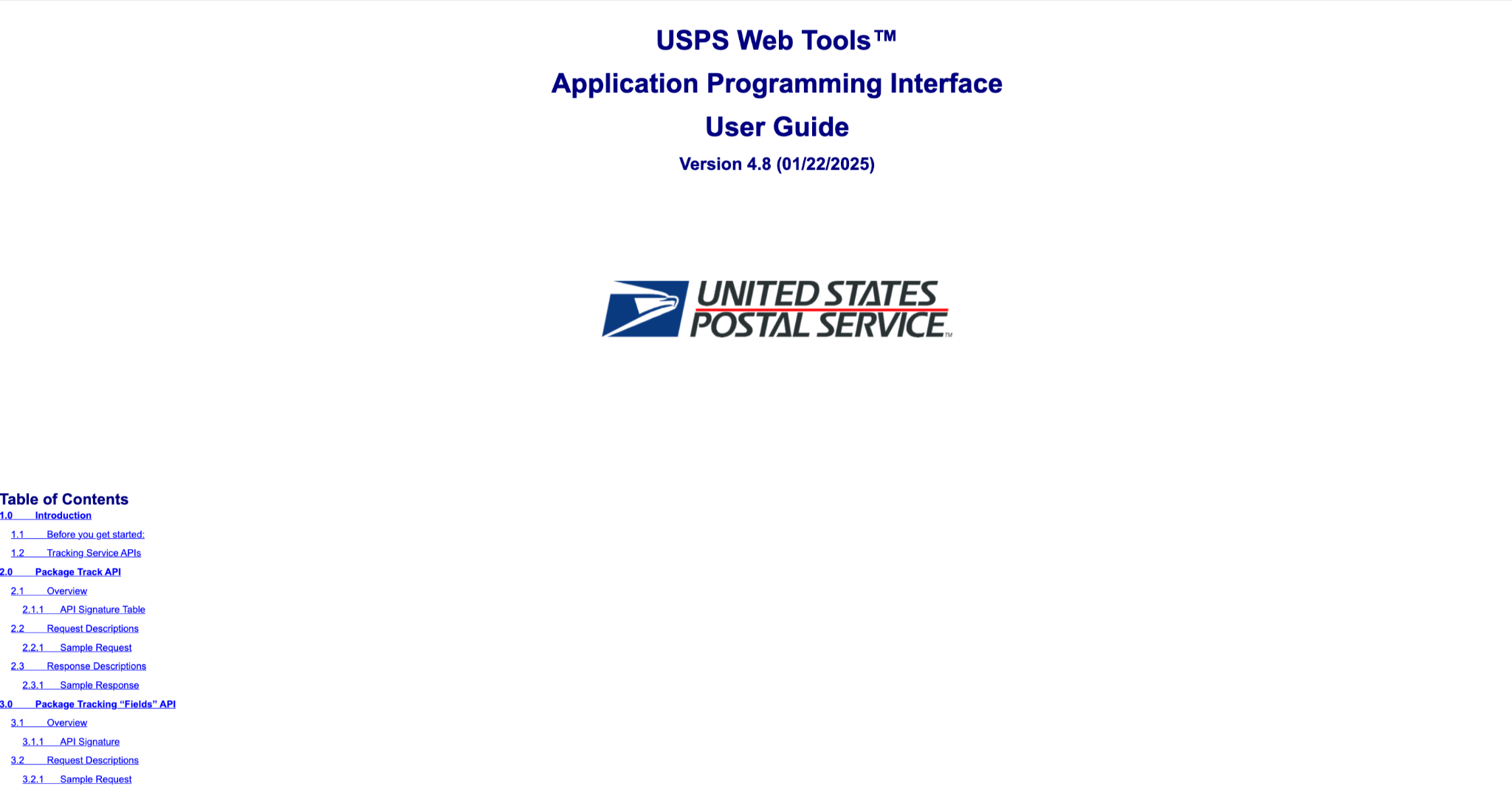
Legacy formats that fight the reader: Before its retirement, the USPS Web Tools docs were a long-standing example of documentation that behaves like a PDF even in HTML, hard to browse, hard to copy from, and hard to deep-link into.
Developers scan a page, lift a snippet, and share a link to one exact section, and that format stops all three. The fix is to publish documentation as a live site with an indexable URL for every page, rather than as a single long document or a downloadable file.
Broken docs at least exist for a developer to find. The last category covers the docs a developer never gets to read at all, which does its damage before evaluation even begins.
Documentation that is missing or hidden
The worst documentation is the kind that a developer cannot reach. Sometimes it was never written, and in other cases it exists behind a form, or three menus deep, or on an internal wiki that never shipped. In each of these, a developer trying to decide whether your product is worth their time gives up before they can tell. Most of them will not ask.
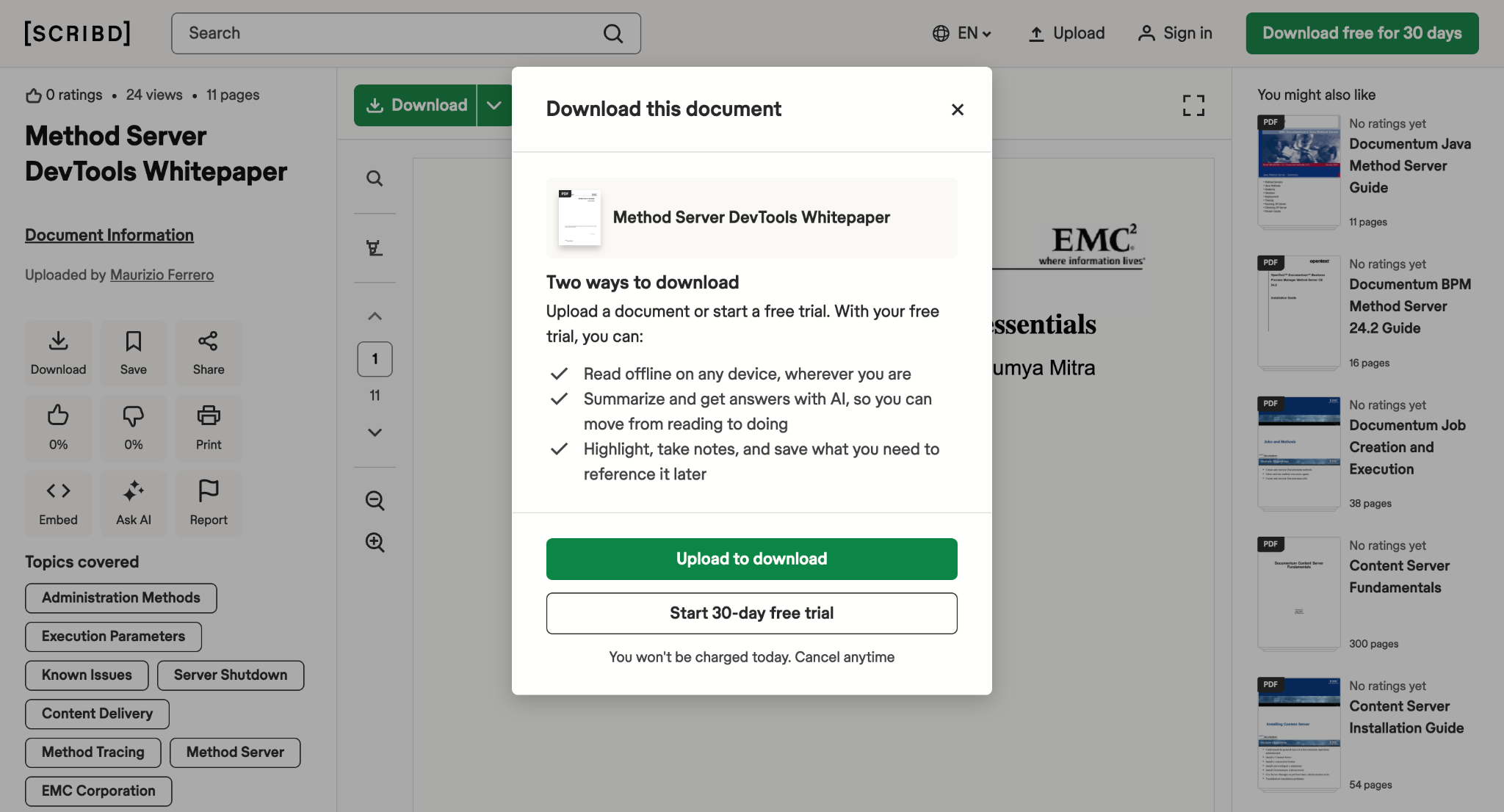
Gated behind a signup form: Some products require an email address or a full account to view the docs. The reasoning is lead capture, and the cost is every developer who wants to check whether the product fits before handing over their details.
Most will leave rather than sign up to read. The fix is to make documentation public and gate the API keys instead, so the paperwork comes at the point of building rather than the point of evaluating.
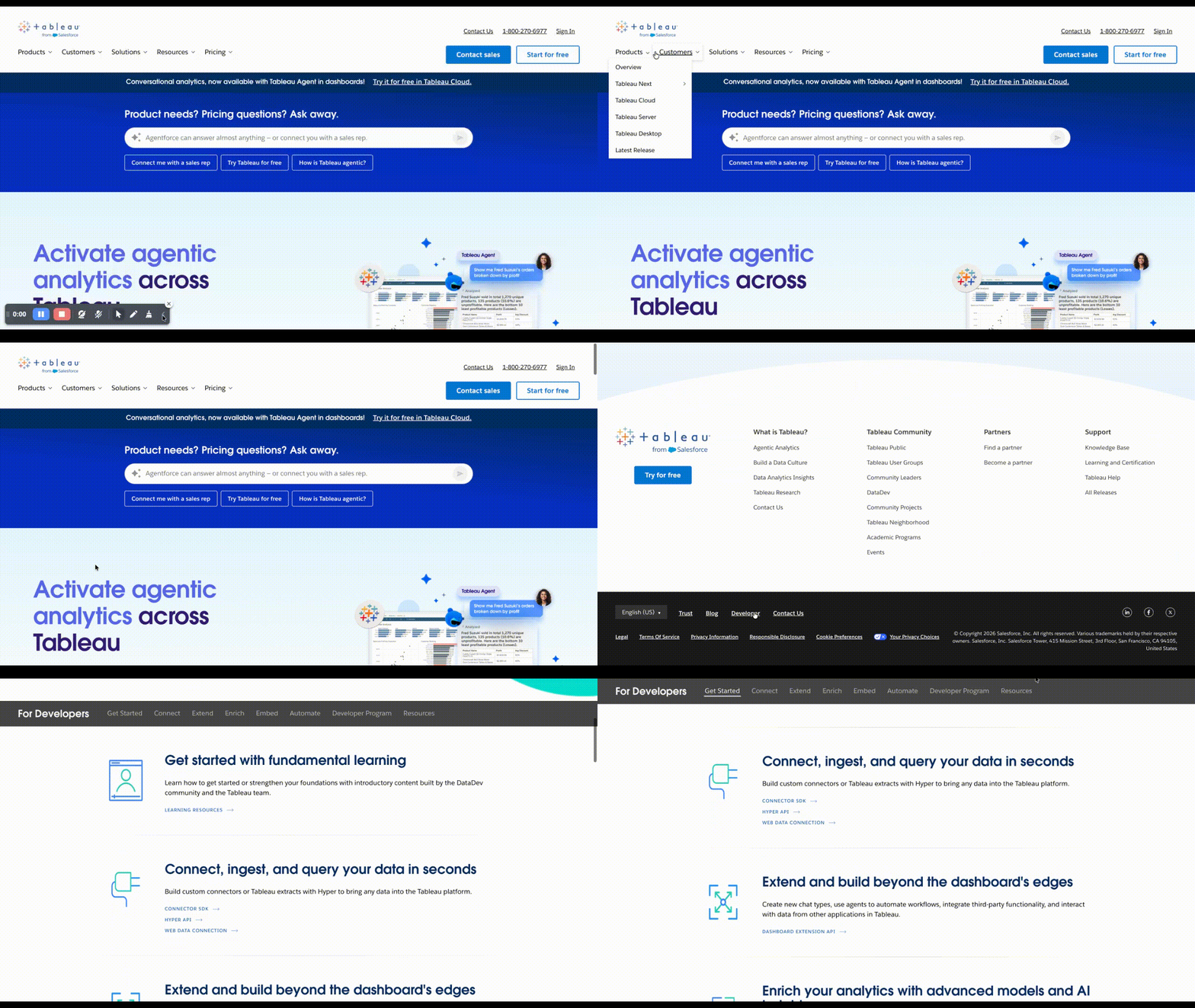
Buried several clicks deep: Documentation that exists but is not linked from the homepage or the main navigation is functionally hidden. In a review of top developer company homepages, only about half mentioned developers or documentation in their global navigation, with the rest tucking docs under a resources or support menu, a click or more away.
If a developer cannot find it, it reads to them as if it were never written. The fix is to link documentation from the main navigation rather than a secondary menu.
Written but never published: The most invisible version of missing docs is the page someone wrote but never shipped, because the team treated publishing as a separate task and set it aside once the writing wrapped upis on an internal wiki that no customer will ever see. The work exists on an internal wiki where no customer will ever see it. The fix is to treat publishing as part of the documentation task itself, with a page counting as done once it is live and linked.
Fixing these in practice
Every failure above has a fix, and we have run those fixes on real docs. The four categories are not abstract to us, since each maps to work we have shipped.
Novu's documentation had grown without structure, with tutorials, guides, tasks, and reference material interleaved on the same pages, which is the reference-mixed-with-guide problem from the second category. We audited and reorganized it into clear concepts, tasks, and references, added a release checklist so docs shipped with each feature, and Novu's shipping velocity doubled.
Akurateco's developers landed on a bare collection of API references with no way in, the no-beginner-path problem. We rebuilt the information architecture around how developers integrate and added a Quickstart that carries them from sandbox credentials to a first successful payment.
Midnight Network had outdated and inconsistent content spread across preprod, production, and canary environments, the broken-and-outdated problem. We cleared the community contribution backlog, audited the docs for accuracy, and kept them aligned as the platform changed underneath.
GBG GO had no documentation system, no writers, and no process, the missing-docs problem in its starkest form. We built the system from scratch on Mintlify and took the product from zero to launch-ready docs in under 90 days.
The through-line across all four is the same. Documentation stays good when someone owns it, tests it against the running product, and ships it as part of the release rather than after it.
Frequently asked questions
1, What counts as bad documentation?
Bad documentation is any doc that stops a developer from getting where they were going, whether through inaccuracy, poor structure, staleness, or being unreachable. Much of the worst of it looks complete and polished on the surface. The test is whether a stranger can act on it without getting stuck.
2, How is AI-written documentation different from other bad docs?
Older bad docs fail through neglect, so something goes stale or a guide is missing. AI-written docs fail through fabrication, producing parameters, package names, and version references that never existed while reading as confident and correct. The danger is that nothing on the page signals the invention, so it survives a casual review that a stale page might not.
3, How do we find bad documentation in our own product?
Watch for the signals that surface it: rising support tickets, repeated "how do I", questions, and developers reporting that steps do not match the product. The most reliable check is to hand the docs to someone who has never used the product and watch where they get stuck. A structured audit focused on accuracy, structure, and discoverability exposes the rest.
4, What is the fastest fix that improves most documentation?
Verify every code sample against a working call before it ships, because it closes the accuracy failures across all four categories at once. After that, add a getting-started path so a new user can reach success without reading everything. Those two changes address the largest share of what sends developers away.


